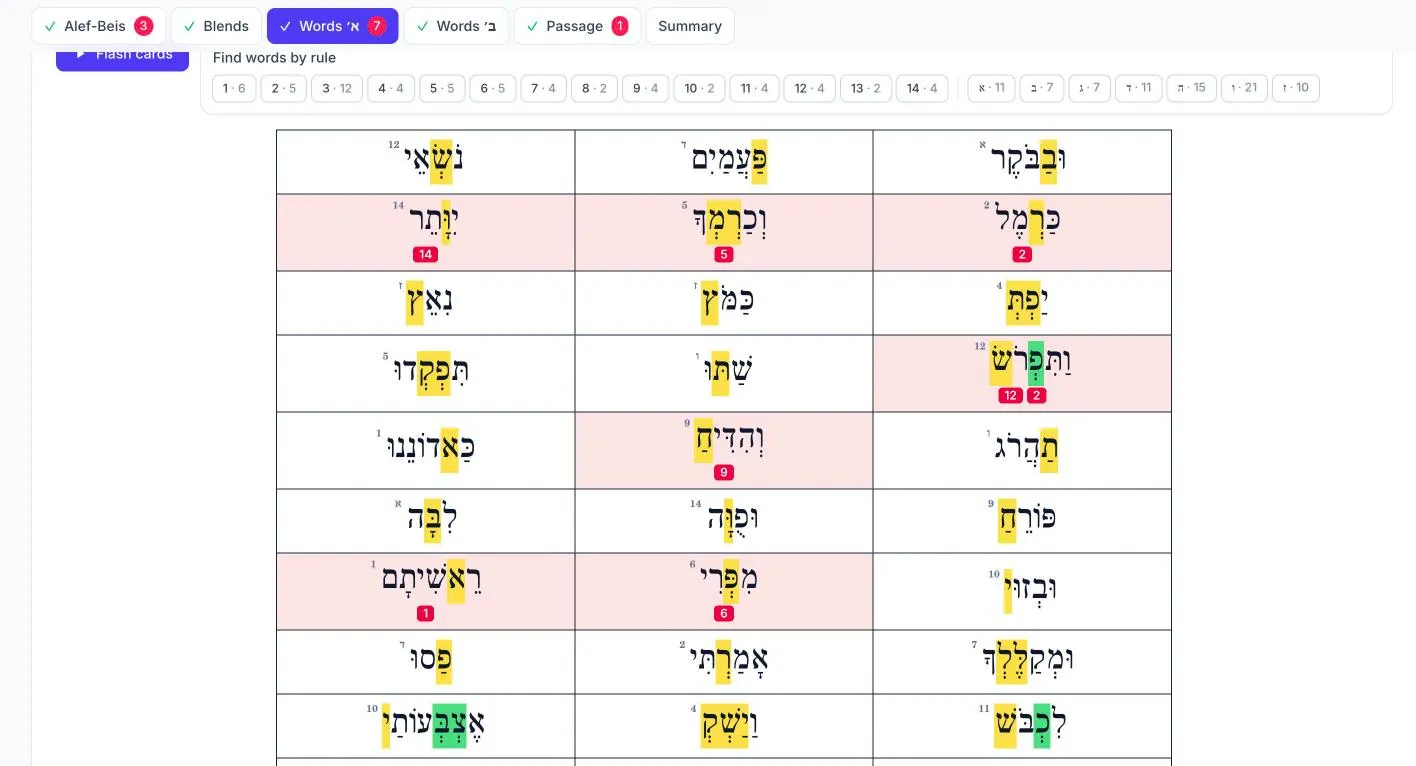
Mark as you listen
The Alef-Beis, letter and nekuda, word and passage sheets appear as printed, with the rule numbers and highlights. Tapping a letter or word marks it and counts it under its rule.
Every mark is saved as you go, so an assessment can be finished later. The child can read from paper, a game or the screen.
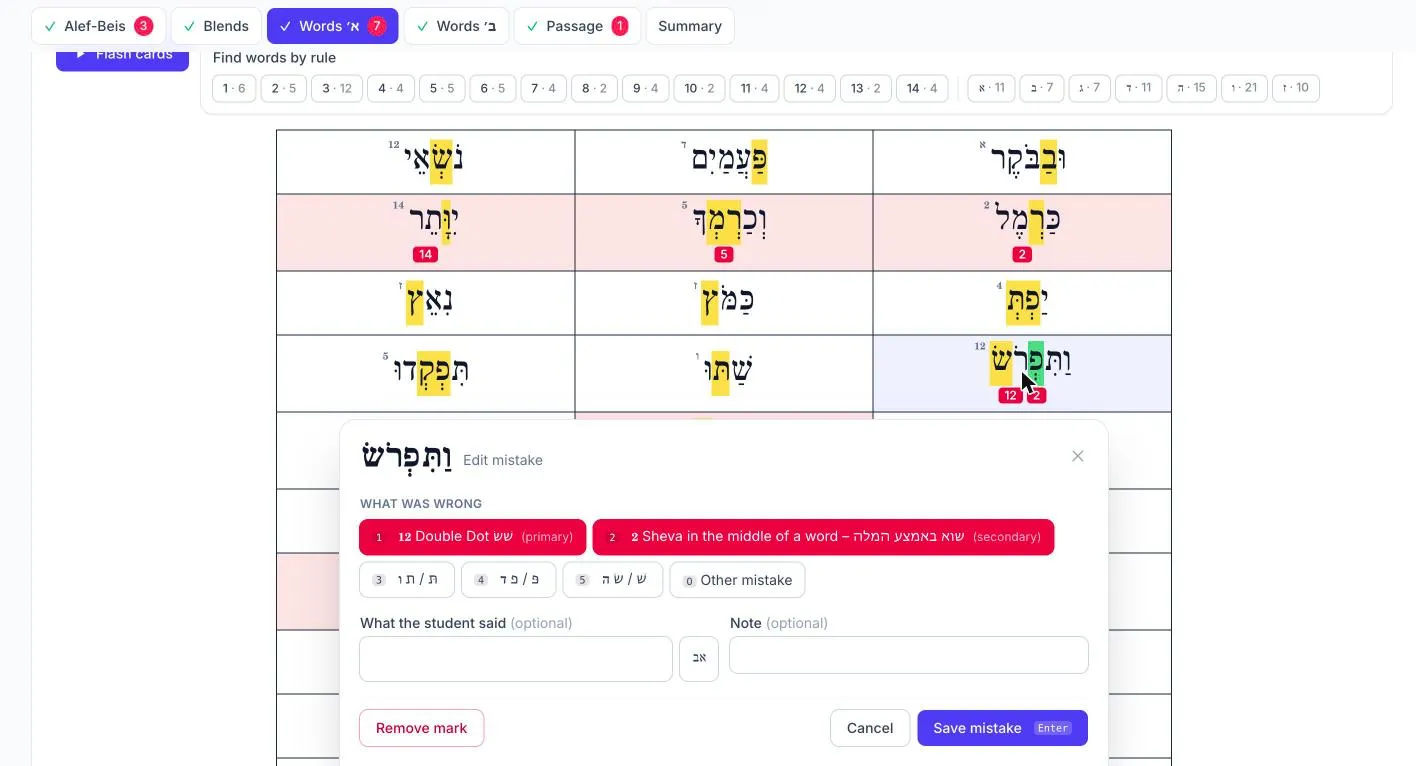
Record what the student said
Tap a marked word again to choose which rules were missed, note a confused letter pair such as פּ and פ, or type what the student read with the Hebrew keyboard.
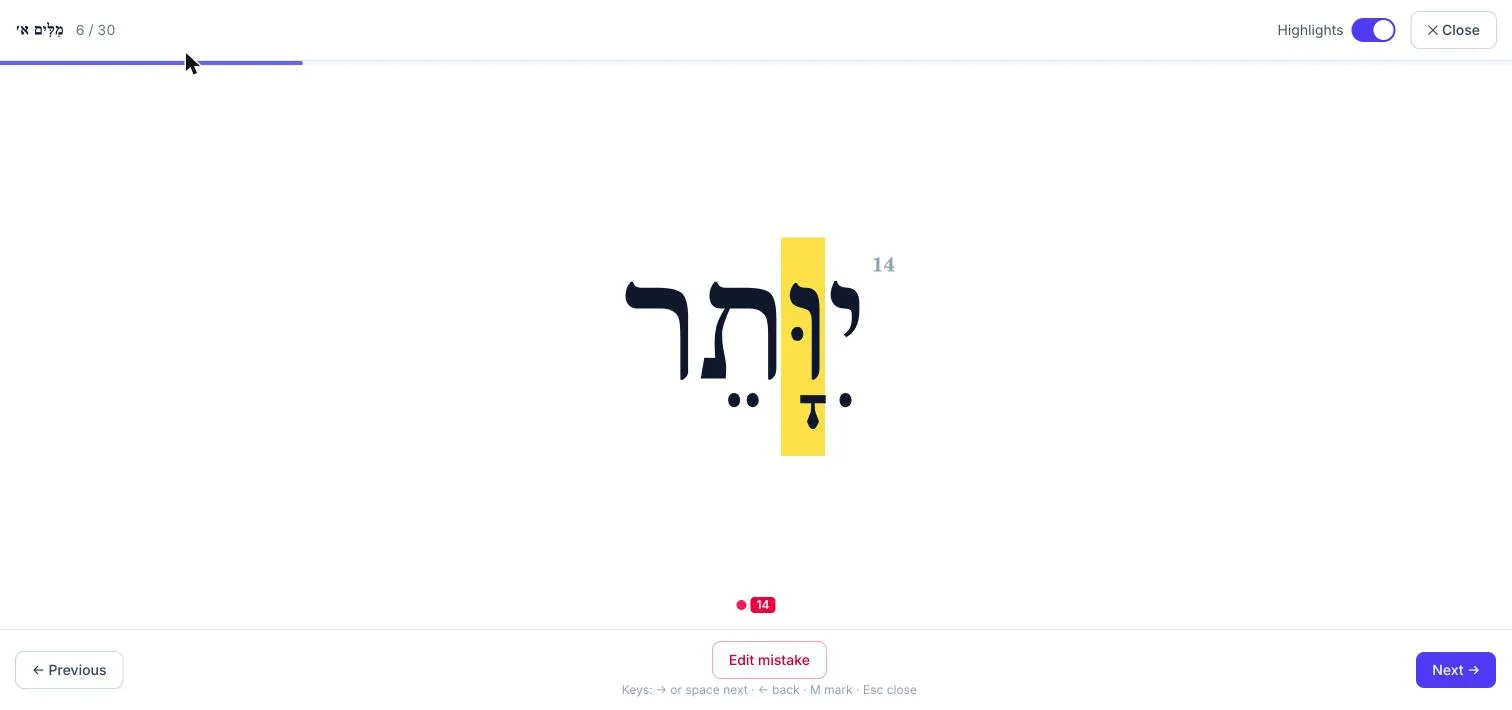
Flash cards
The word sheets can be shown one word at a time, full screen, with the highlights hidden.
Fluency
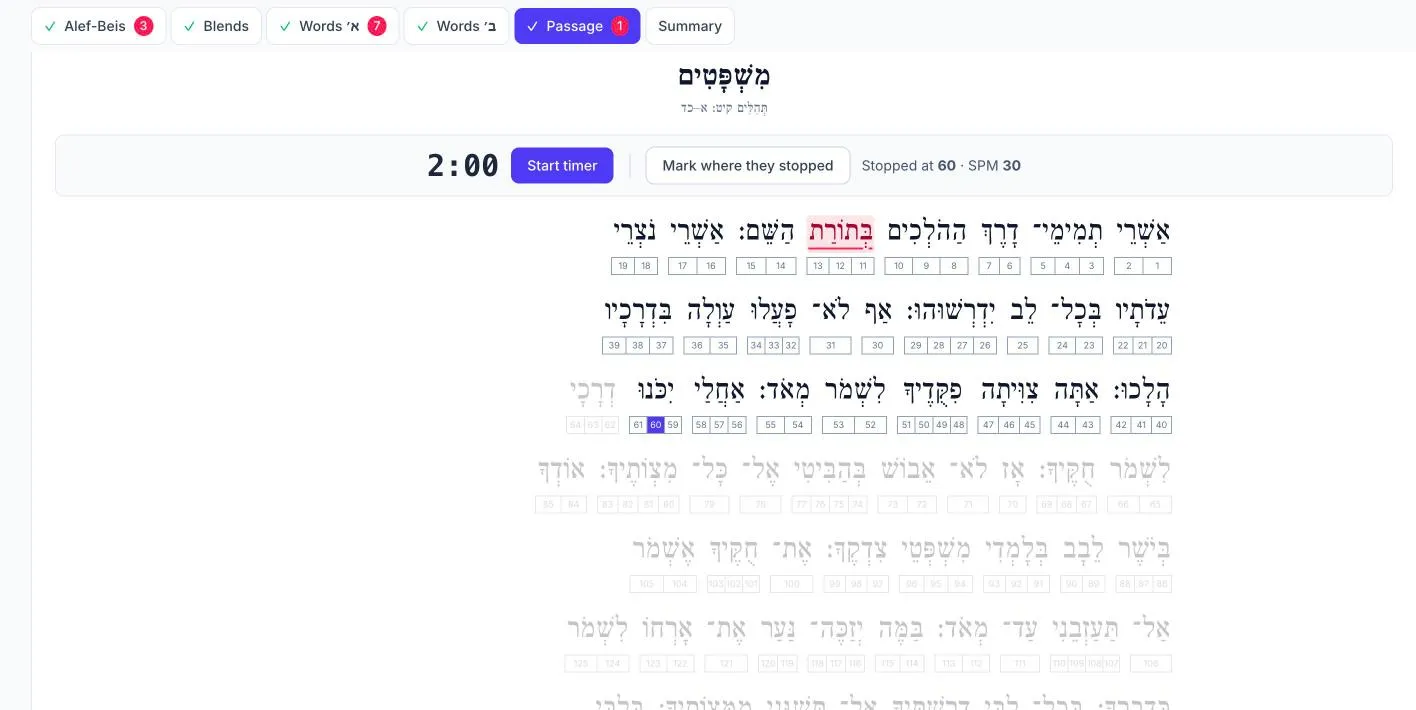
A two-minute timer for the Tehillim passage. Tap the syllable where the student stopped and the syllables per minute are filled in.
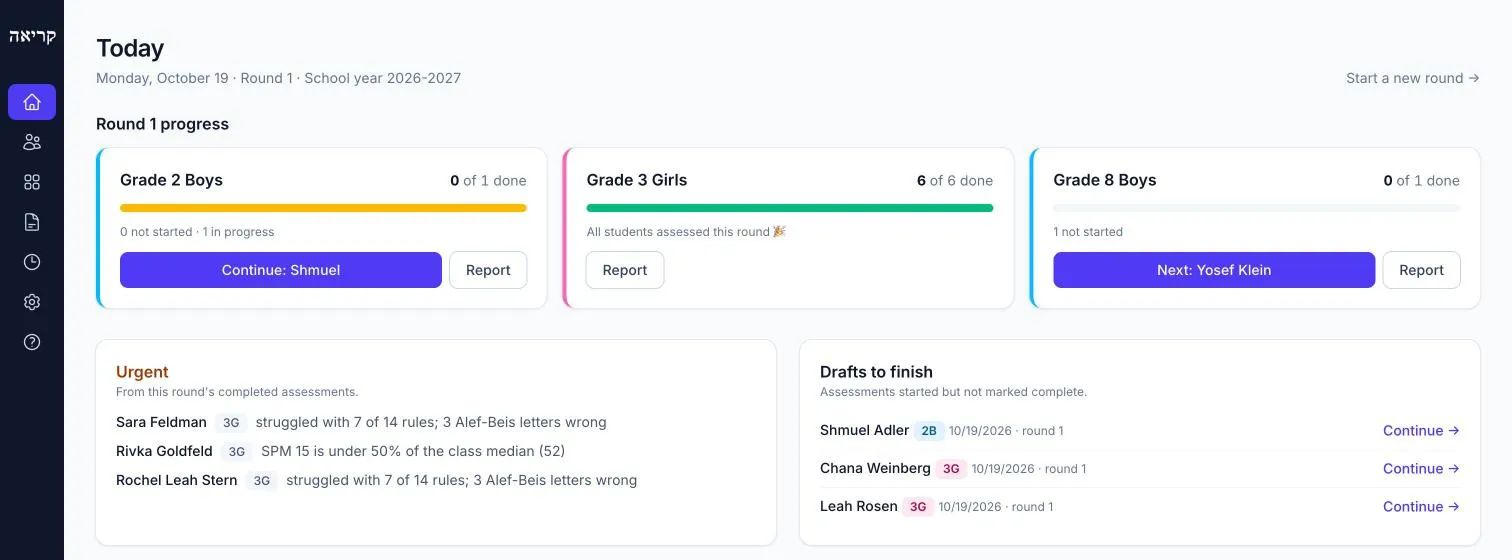
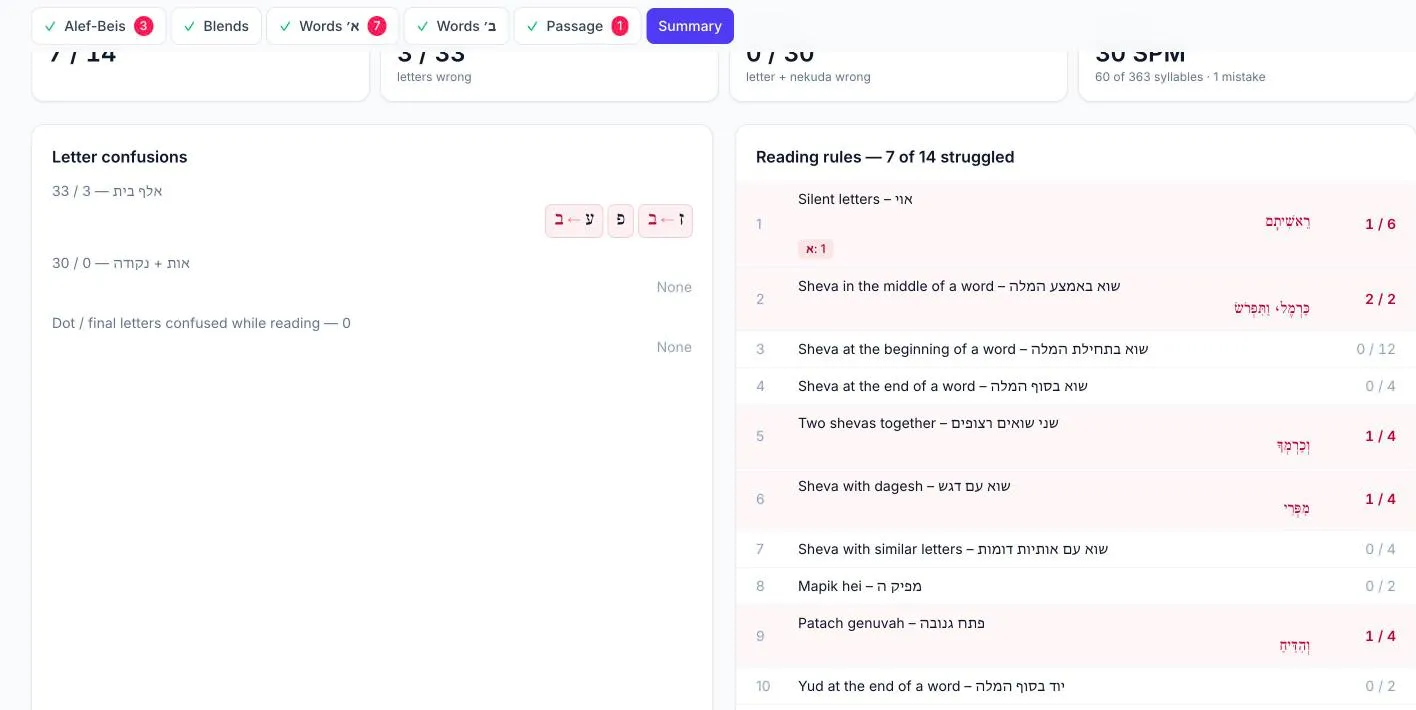
A clear picture of each student
See which letters and reading rules each student has mastered and which still need practice, with results out of the number of times each rule was tested, and reading speed. A sheet that wasn't given shows as not assessed, not as zero.
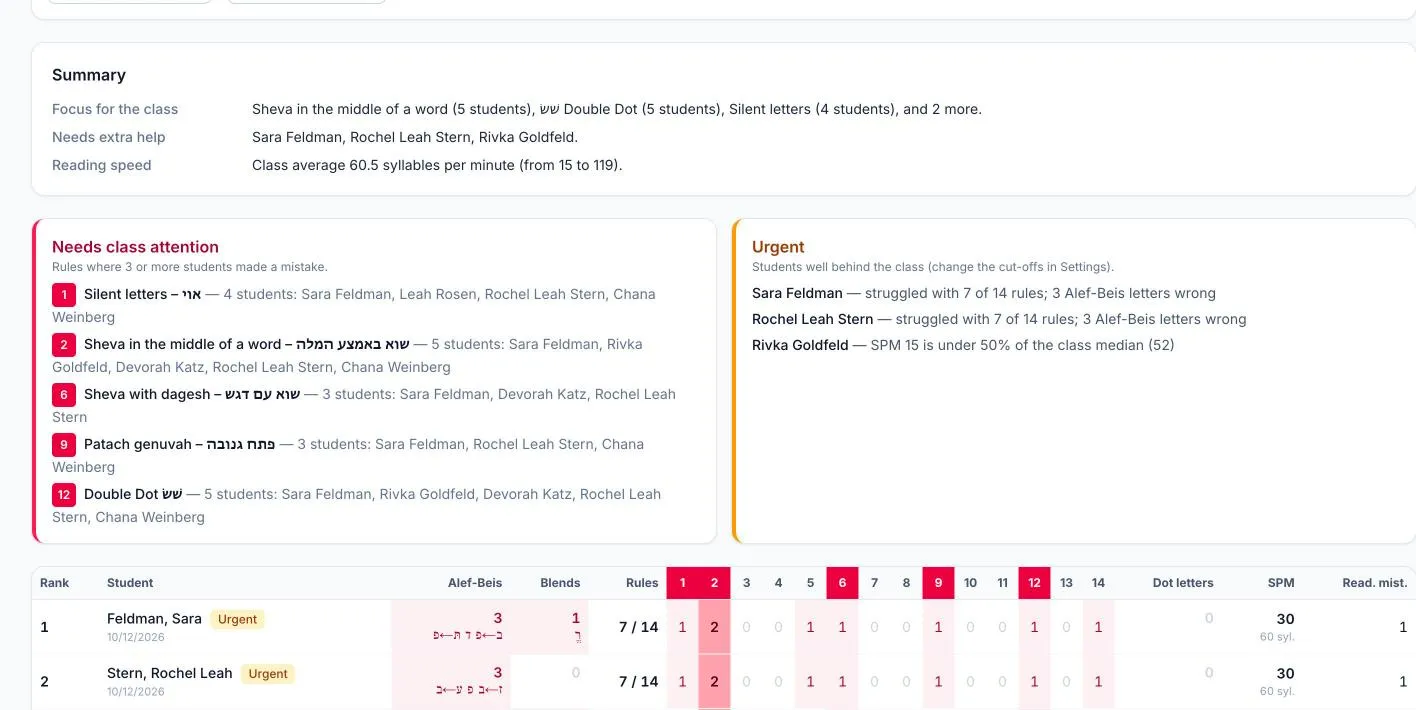
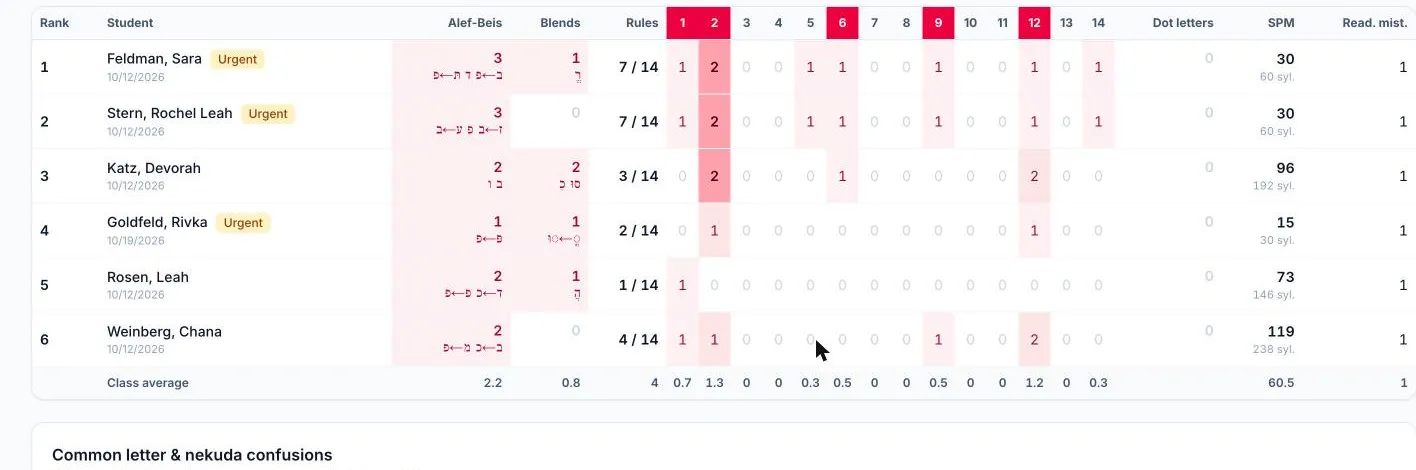
Class reports for teachers
A short summary of the rules to focus on with the class, the students who would benefit from extra help, and who is doing well, followed by a table of every student and rule.
Reports can be printed or saved as a PDF, with or without your notes.
Any device. Works on a laptop, tablet or phone.
Rounds. Group assessments into rounds, for example one a month.
Hebrew text. Nekudos placed correctly, in type close to the printed sheets.
Private. Accounts are by invitation and student data stays with your school.